 150:22
Copilot ChatIntermediate
The end-of-week summary for your boss
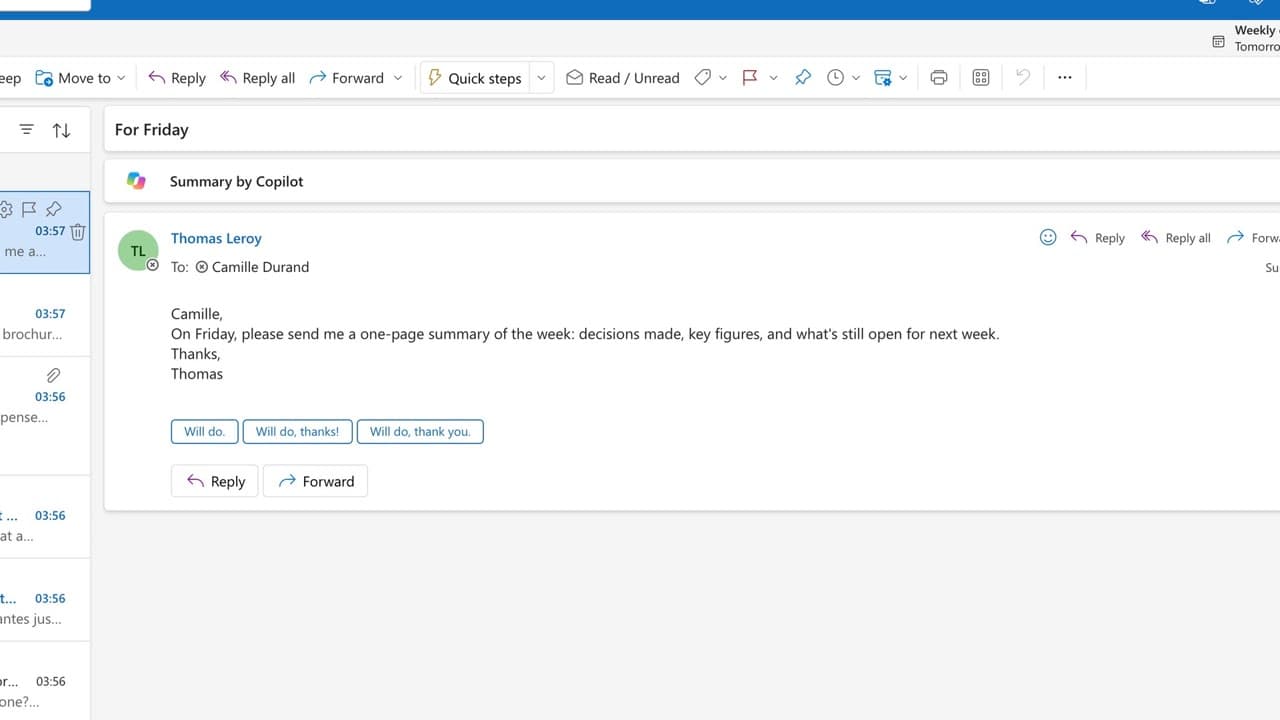
On Friday you hand over a one-page summary: decisions, figures, points still open.
Catalogue · Advanced Copilot
A prompt that works is saved in one click and reopened the next week, ready to go.
Space: play · ← →: 5 seconds · M: sound · F: full screen
The exact sequence, in order.
After a good answer, hover over your prompt and click “Save prompt”.
Give it a clear name.
Next time, open the prompt gallery, under “Your saved prompts”.
Click the prompt: it drops back into the message box. Adjust it, then send.
Word for word, exactly as shown in the video.
List this week's emails still waiting for my reply, most urgent first, with a one-line suggested answer.
The habit to keep
A good prompt is worth keeping: you don’t reinvent it.
You might also like
150:22On Friday you hand over a one-page summary: decisions, figures, points still open.
 010:59
You get a note ready for the committee: the question to decide, two options, a recommendation, every figure linked to its document.
 020:51
You get the right note in four short instructions, without ever rewriting everything.
Newsletter
One skill a week, straight to your inbox. The easiest way to keep learning without thinking about it.
Your data stays in the EU. Never sold.